Security
Sally protects one shared workspace where humans, API clients, and AI agents all act under the same accounts and permissions. This page covers how people sign in, the security policies admins can enforce, the audit log, and how integration secrets are stored.
Most security policies are deployment-global: they are set once for the whole Sally instance and apply to every customer account on it. The exceptions are called out where they occur — SAML is configured per customer account, and two-factor can be required per customer account.
Passwords
People sign in with an email address and password, with a passkey (Face ID / Touch ID / a security key — usernameless and phishing-resistant), or through SAML SSO. Passwords are stored only as salted hashes, never in plaintext, and are reset through a one-time emailed link. A passkey is registered from Profile → Security and can then be used to sign in on its own or as a second factor.
The authentication policy sets the rules every password must meet:
- a minimum length (12 characters by default);
- required character classes — uppercase, lowercase, number, and symbol (all on by default);
- an option to disable password login entirely for accounts that sign in through SSO.
Accounts provisioned through SAML can exist with no password at all and rely on their identity provider instead.
Sessions
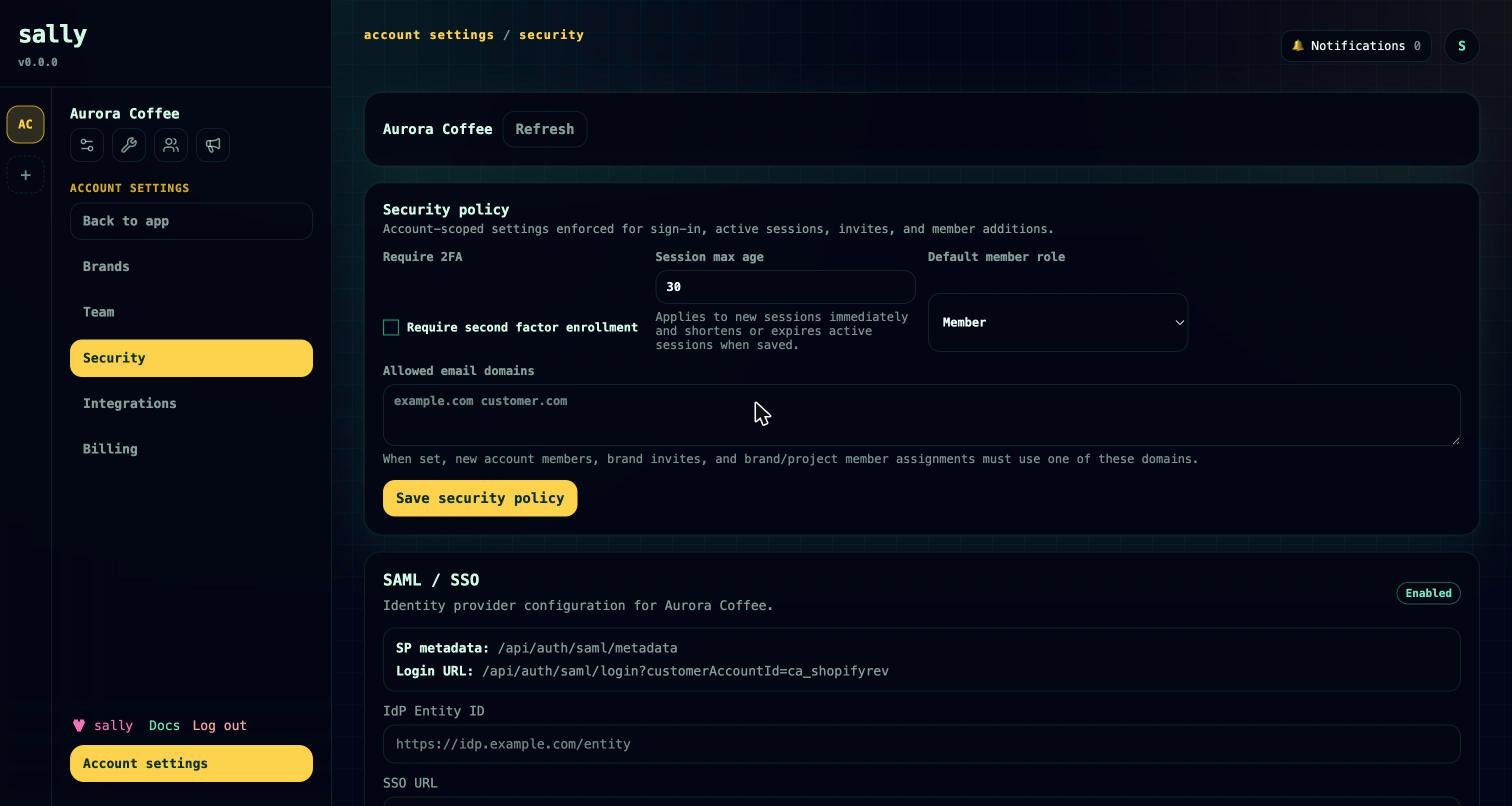
A successful sign-in creates a session. The session policy governs how long sessions live and how they end:
- a maximum session lifetime (30 days by default);
- automatic revocation of existing sessions when the policy changes;
- an option to restrict session-policy changes to admins.
Admins can revoke sessions in bulk to force everyone to sign in again — useful after a suspected compromise or an offboarding.
Two-factor authentication (TOTP)
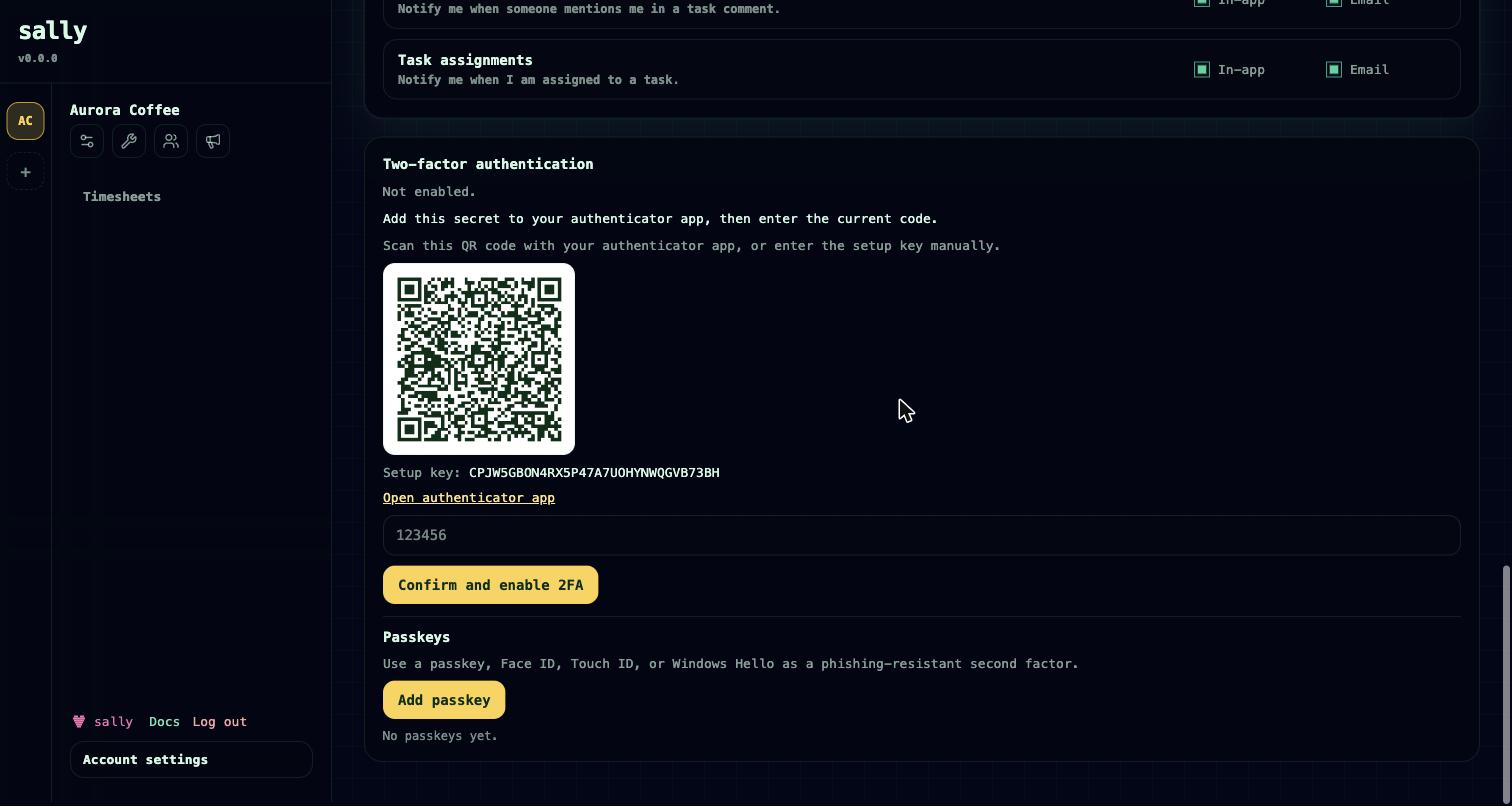
Sally supports time-based one-time-password (TOTP) two-factor authentication with any standard authenticator app. Each person sets it up from their profile — scan the QR code, confirm a code, and store the recovery material. After that, sign-in asks for a code as a second step.
The two-factor policy controls enforcement across the deployment:
- an enforcement target (no enforcement by default);
- a grace period for people to enrol after enforcement turns on (14 days by default);
- whether admins may reset a locked-out user's second factor.
Two-factor can also be required at the customer-account level, independently of the global policy — one of the few security settings that is per-tenant rather than deployment-global.
Passkeys
Signed-in users can register a passkey (WebAuthn) from their profile as an additional, phishing-resistant credential tied to their device or hardware key.
Roadmap. Passkey registration ships today. Signing in with a passkey as a primary or second factor is still being finished — until then, use TOTP two-factor for step-up authentication.
SAML single sign-on
A customer account can connect its own SAML identity provider so its members sign in through corporate SSO. Unlike the other policies here, SAML is configured per customer account, not per deployment. Configuration covers:
- the provider's entity ID, SSO URL, and signing certificate;
- allowed email domains for the account;
- just-in-time provisioning, so new members get an account on first sign-in;
- an option to enforce SSO, so members must go through the identity provider.
API and MCP key policies
People and agents also authenticate without a browser session, using keys:
- Personal API keys (prefixed
atpm_) for the HTTP API — see API access. - Hosted MCP keys (prefixed
sallymcp_) for agents on the hosted MCP endpoint. An MCP key can be pinned to a single workspace, and requests to any other workspace are denied — see Connect your agent.
The key policy applies to both kinds of key across the deployment:
- whether an expiry is required or optional on new keys;
- default and maximum key lifetimes;
- whether only admins may create keys.
Any key can be revoked instantly, which immediately cuts off the API client or agent behind it. Because every key resolves to a real account, a key's reach is never broader than the account, workspace pin, and scopes attached to it.
Audit log
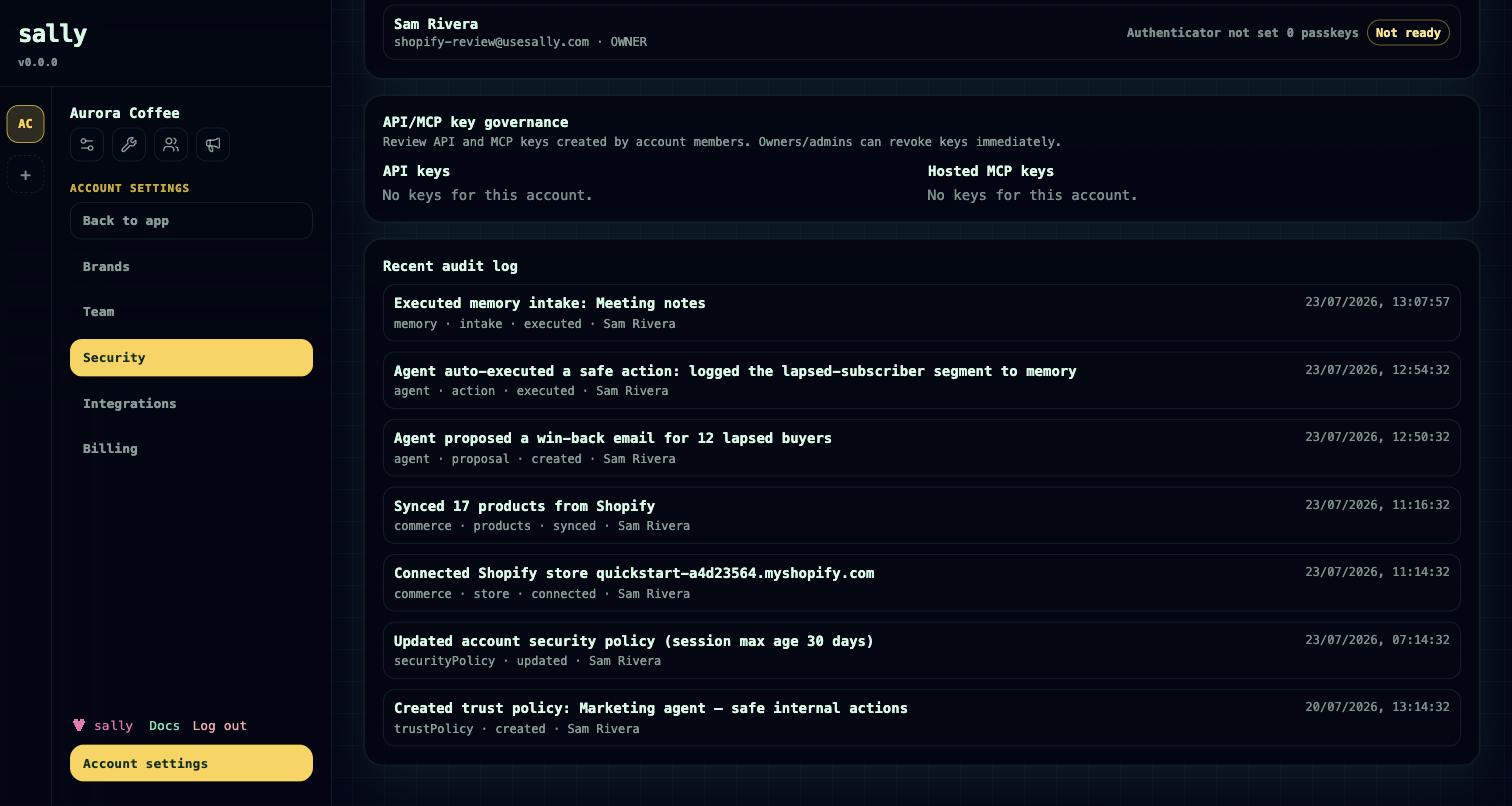
Sensitive actions — administrative changes, workspace changes, and automation activity — are written to an append-only audit log. Agent actions are recorded alongside human ones, so an agent doing something is as traceable as a person doing it. This complements the decision log that sits beside it under Account → Security; see Governance.
The audit-log policy controls:
- a retention period (365 days by default), after which older entries can be pruned;
- whether exporting the log requires admin rights;
- whether authentication and automation events are included.
Encryption of integration secrets
Secrets that Sally stores on your behalf — cloud-storage connections and third-party integration credentials — are encrypted at rest rather than kept in plaintext. When an agent submits a proposal, its payload is also scanned and rejected if it contains secret-like values, so credentials don't leak into automation records; see Governance.
Cloud storage integrations
Account admins can configure Google Drive, Microsoft 365 / SharePoint / OneDrive, and Dropbox integrations once at account level. Each user then connects their own provider account and can search their accessible files from task descriptions and comments via slash commands. Sally inserts links — your files stay in your storage.
Related
- Connect your agent — MCP keys, OAuth, and the one permission model for agents.
- Governance — trust policies, approvals, and the operational-event ledger.
- API access — authentication paths and the HTTP surface.
- Plans & billing — customer accounts and roles.