Getting started
Sally is one workspace where your team and your AI agents work from the same brand memory, under one permission and approval model. This page takes you from signup to a working brand with your agent connected — the step that unlocks everything else.
Create your account
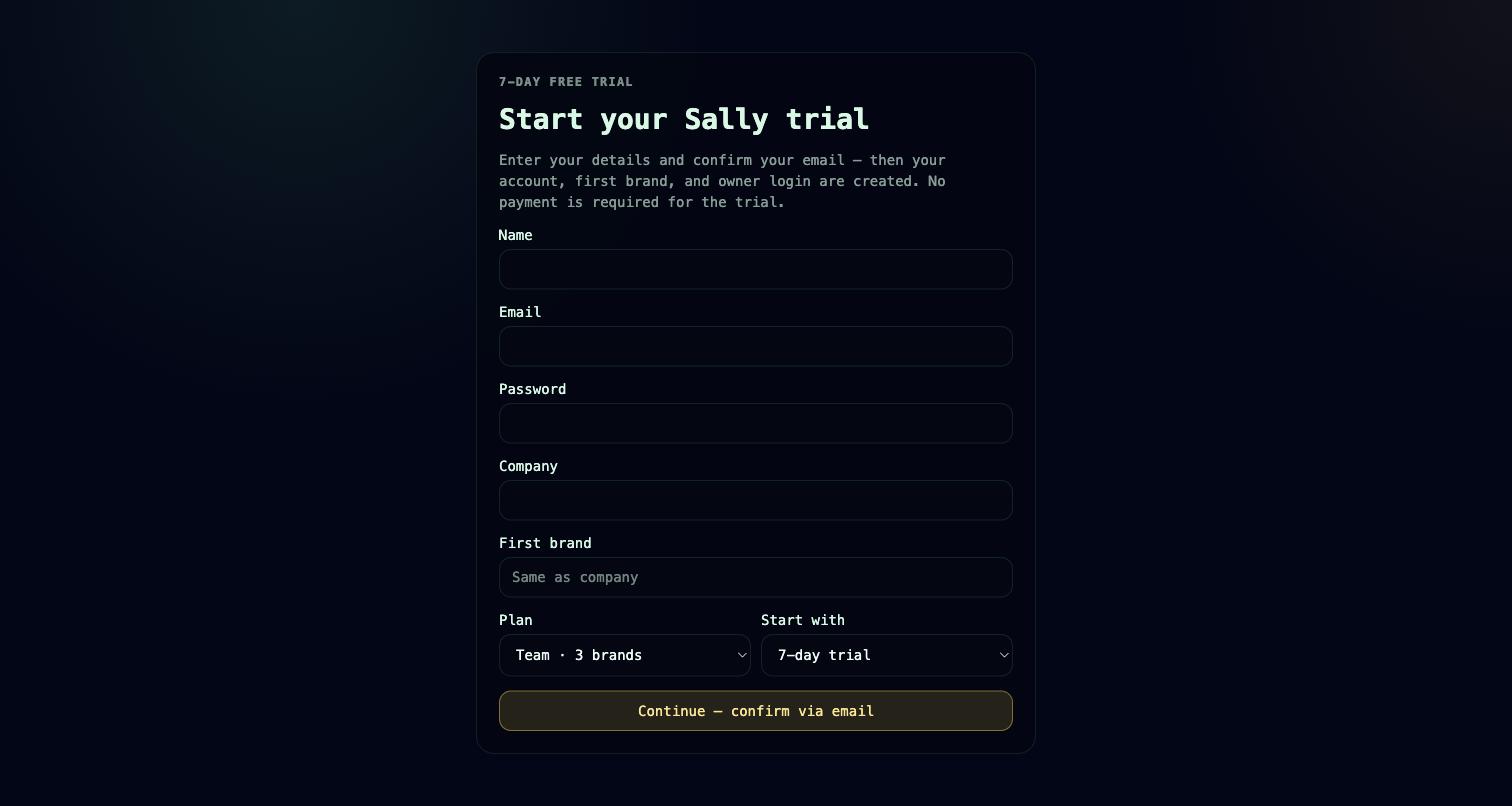
Sign up at app.usesally.com/signup. Signup is two-phase, so you confirm your email before any account exists:
- Submit your name, email, password, a company name (this becomes your customer account — the billing/tenant root), a name for your first brand, and a plan (Solo, Team, or Growth).
- Sally emails you a confirmation link. Opening it provisions your customer account, makes you the owner, creates your first brand, and starts a trialing subscription.
Your subscription begins on a trial. You add a payment method from Account → Billing when you decide to keep going — see Plans & billing for what each plan includes and what happens when the trial ends.
A brand is a workspace: it holds its own projects, CRM, marketing, memory, and members. Plans are priced per brand — Solo includes 1, Team 3, Growth 7 — and you can add more. "Brand" and "workspace" mean the same thing throughout the app.
Set up your first brand
Open your brand from the workspace switcher, then give the onboarding checklist something to detect:
- Create your first project. Projects start with default statuses (Backlog, In Progress, Blocked, Review, Done); add custom statuses whenever you need them.
- Add a few tasks, assign owners, and set priorities.
- Add a CRM contact so your customer context has somewhere to live.
You can do each of these by hand, or hand them to a connected agent — see below. For the full project model, read Projects & tasks and Core concepts.
Invite your team
Sally has three membership layers, so you invite people at the level that matches their role:
- Customer account — teammates who help run billing, security, and brands. Roles: owner, admin, billing, member.
- Brand (workspace) — invite by email or share an invite link. Roles: owner, member, or read-only viewer.
- Project — add existing brand members to a project, or invite by email straight from it. Roles: owner, member, viewer.
Invites are sent by email and accepted through a link, so a new teammate lands directly in the right brand. Agents can send brand invites too, via workspace.invite.
Connect your AI agent
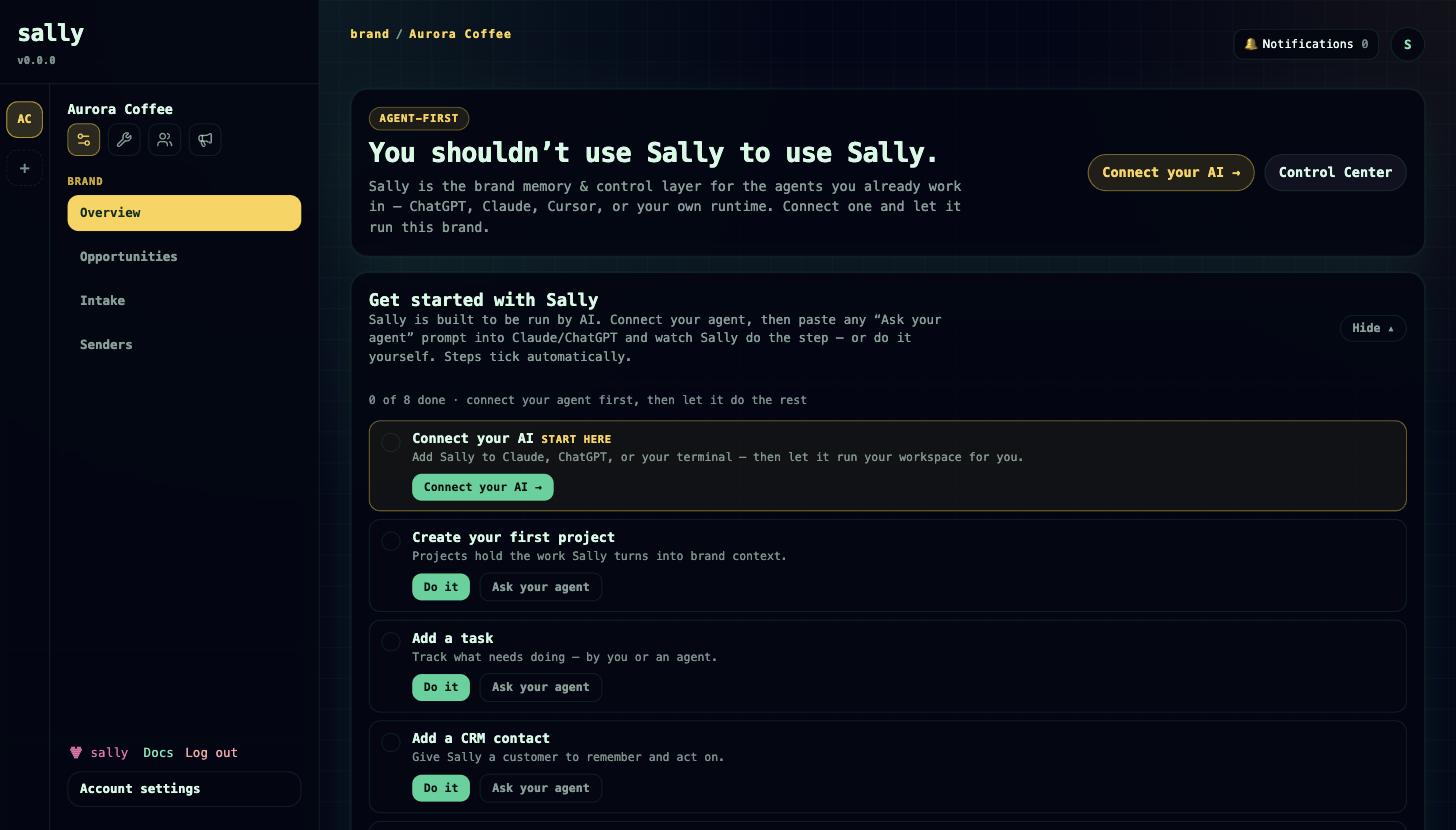
This is the step that lets the AI you already use write from your brand's second brain — "you shouldn't have to use Sally to use Sally." Sally runs a first-party hosted MCP endpoint at https://app.usesally.com/mcp, so an external agent (Claude, ChatGPT, Cursor, Codex, or your own runtime) reads your brand memory and live context, then acts through the same permission and approval model your team uses. Every connection resolves to a Sally account and is never broader than the credential behind it.
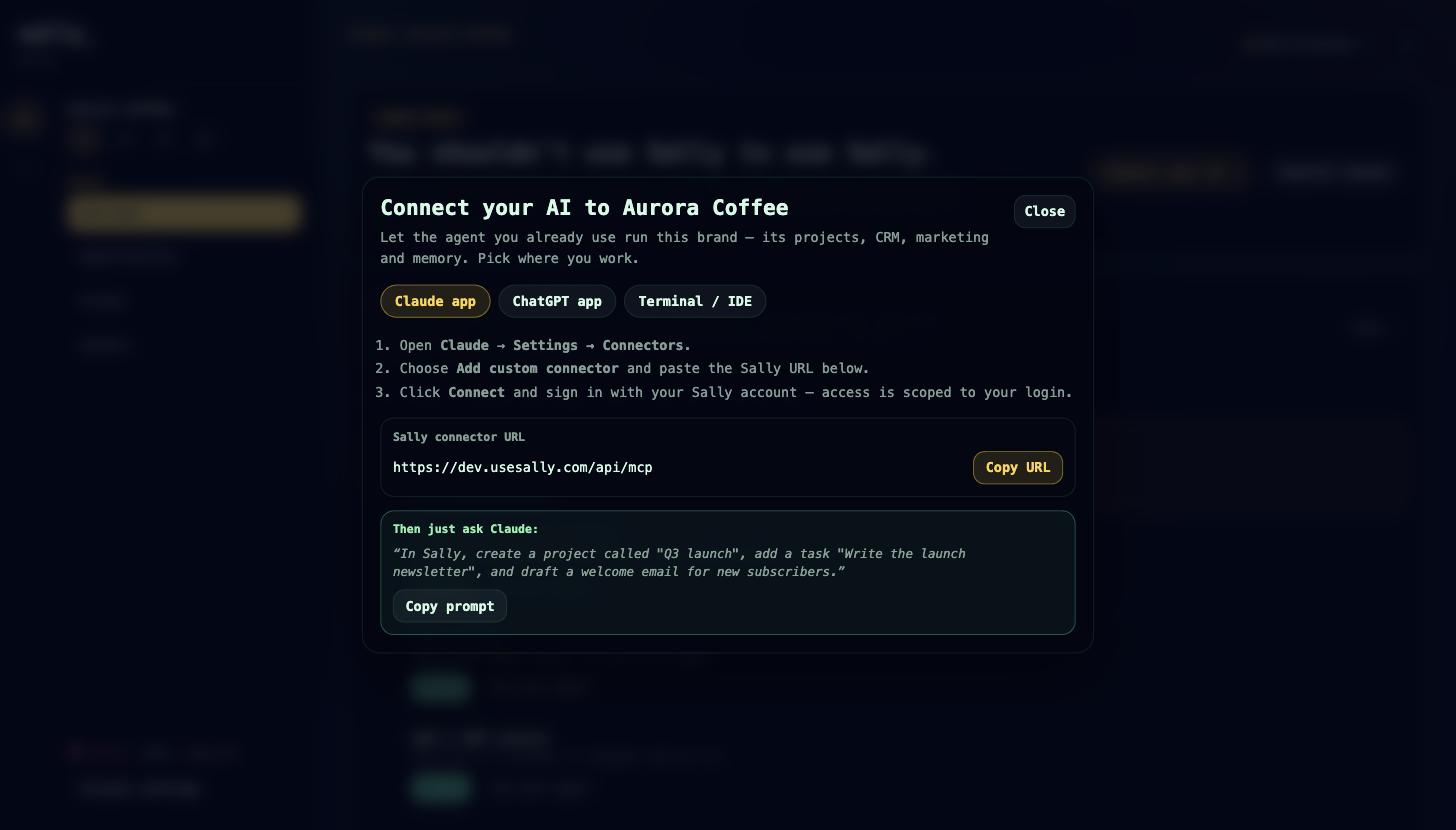
The in-app Connect your AI wizard (opened from the "Agent-first" card on your brand overview) has three tabs:
- Claude app — add the Sally connector by URL in Claude's connector settings and authorize it. This uses the recommended OAuth connector path: no code, and access is bounded by your own account.
- ChatGPT app — the same connector-settings flow with the Sally MCP URL and a sample prompt to get started.
- Terminal / IDE — the wizard mints a hosted MCP key (bearer token prefixed
sallymcp_) and gives you a ready-to-paste MCP JSON config. The secret is shown once, so copy it immediately. A hosted MCP key can be pinned to a single brand, which denies cross-brand access.
Once connected, tell your agent to call sally.context first in every session — it returns verified brand memory, active projects, open deals, overdue follow-ups, recent CRM activity, and standing instructions, so the agent grounds itself before it plans or acts. From there it has the full tool catalog: projects and tasks, CRM, marketing, commerce, memory, and governance. Risky actions (sends, publishes, deletes, exports) are held for human approval rather than run silently — see Governance.
For the connection paths in depth, the tool catalog by domain, and the stdio package, read Connect your agent.
Follow the onboarding checklist
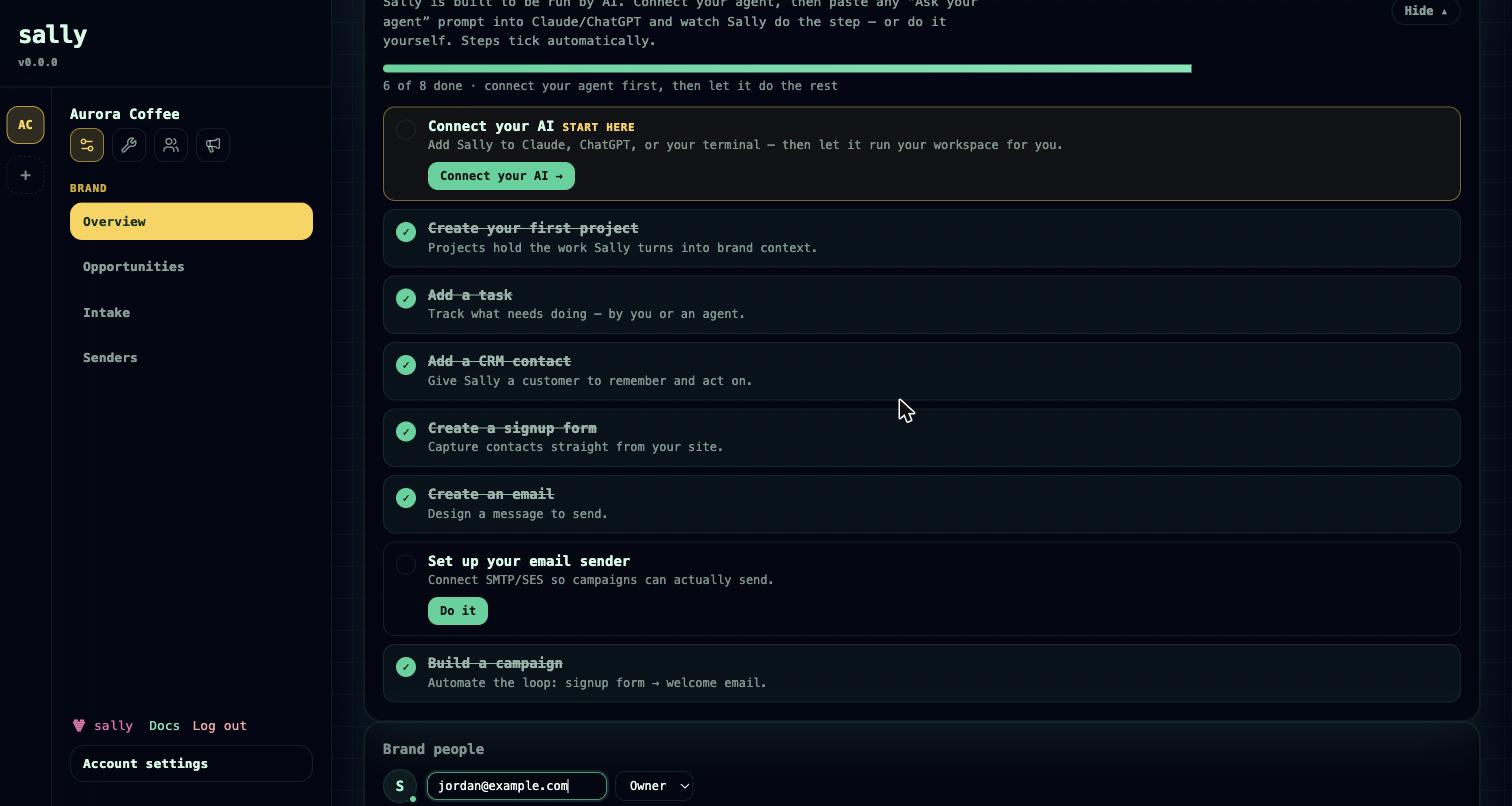
The Getting Started checklist tracks your first steps and ticks each one automatically — it polls your brand's real data, so a step completes whether a human or a connected agent did the work. It shows a progress bar, collapses to a slim bar once you dismiss it, and hides itself when everything is done.
The checklist detects eight steps:
- Connect your agent — the hero step, marked "Start here"; it opens the Connect your AI wizard.
- Create a project
- Create a task
- Add a CRM contact
- Build a form
- Create an email message
- Enable a sender (done in the UI)
- Launch a campaign
Every non-agent step carries a paste-ready "Ask your agent" prompt, so you can hand the step to a connected agent instead of doing it by hand. "Do it" links open the relevant section with a coach-mark that spotlights exactly where to click.
Where to go next
- Core concepts — accounts, brands, projects, roles, memory, and governance.
- Connect your agent — every connection path and the full tool catalog.
- Governance — how proposals, trust policies, and approvals keep agent work safe.
- Plans & billing — plan limits, trials, and adding payment.
Roadmap
- Passkey registration is available today; signing in with a passkey is still being finished, so keep a password or SSO method set.
- Marketing sending is email only right now. SMS and other channels are not yet available.